
ProjectPlace needed a first-class roadmapping capability, one that would bridge strategic planning with real-time execution, integrate across the entire platform, and give project managers a single place to visualise timelines, track milestones, and manage dependencies.
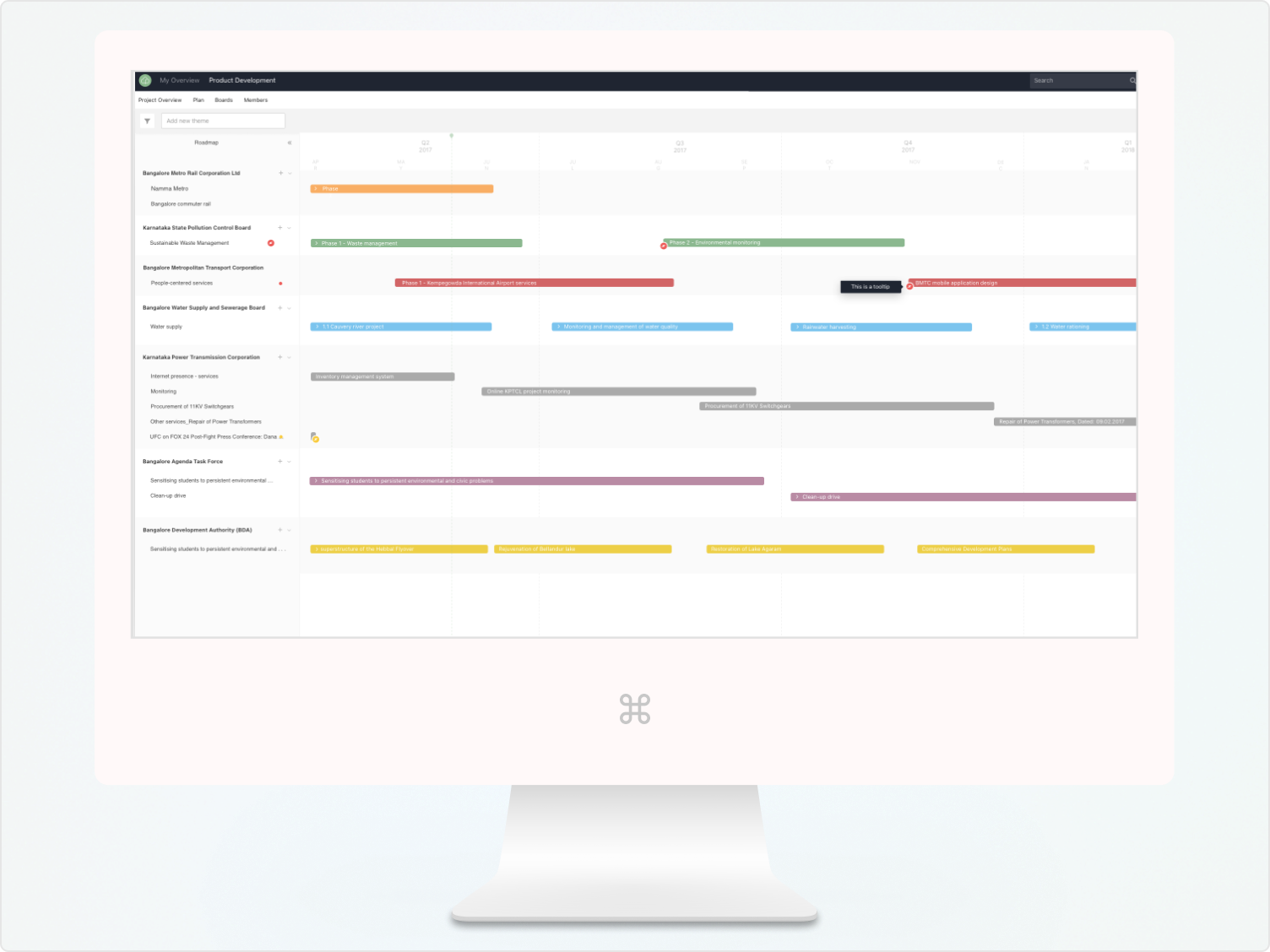
The primary objective was to give teams a tool they couldn't plan without. By addressing the gap in strategic planning capabilities, the roadmapping tool was designed to deepen product stickiness, drive renewals, and differentiate ProjectPlace from competitors like Roadmunk, Aha!, and ProductPlan.
I collaborated with product managers, developers, and the sales, marketing, and customer support teams, running brainstorming sessions and design sprints to align on requirements and refine the approach throughout.
I used a mixed-methods approach to ground every design decision in real user behavior. In-depth interviews with 30 project managers and team leaders surfaced core pain points and mental models. Surveys distributed to 200 users provided quantitative data on tool usage and preferences. Two weeks of ethnographic field research revealed how users actually worked — not just how they said they worked.
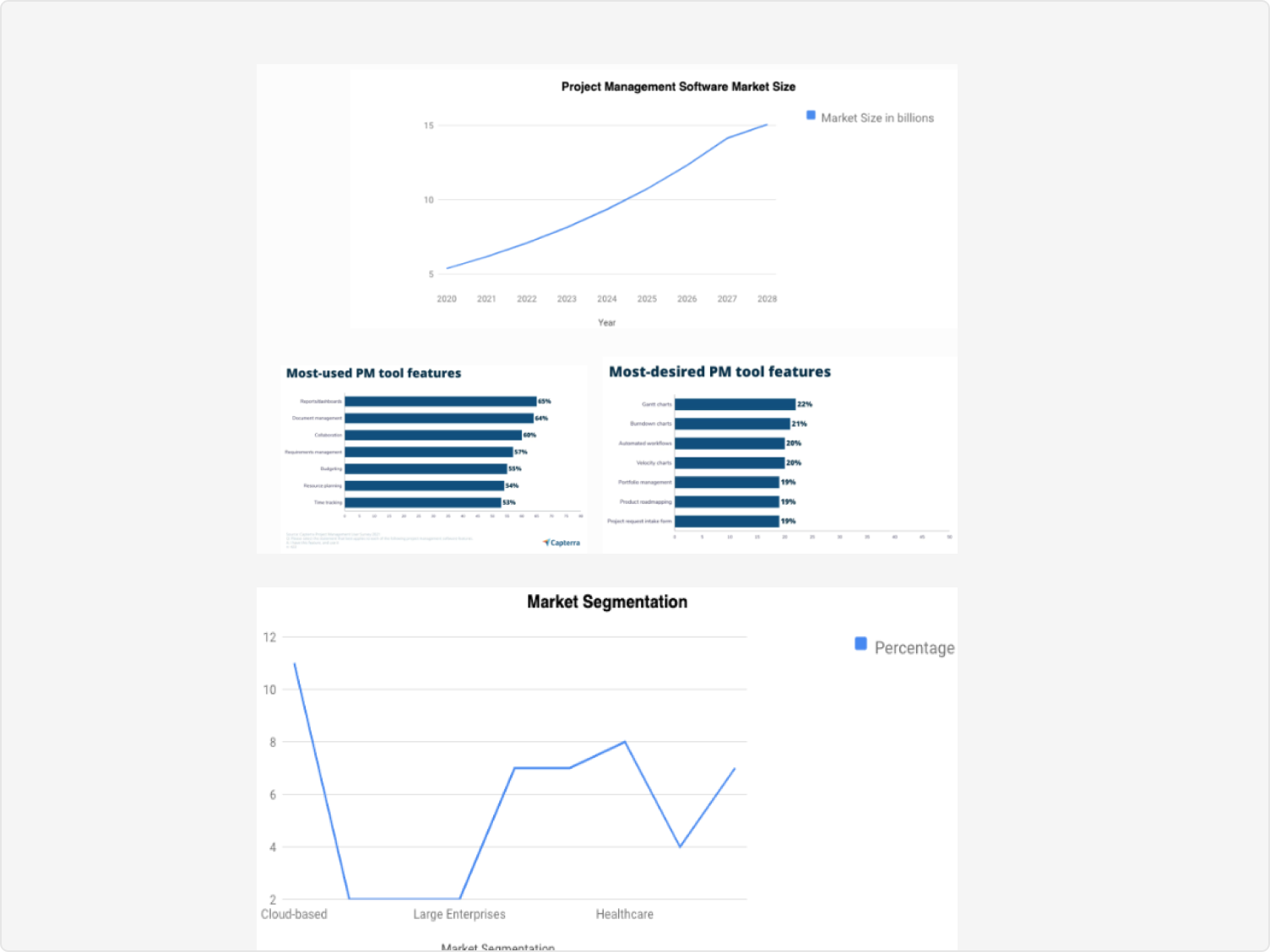
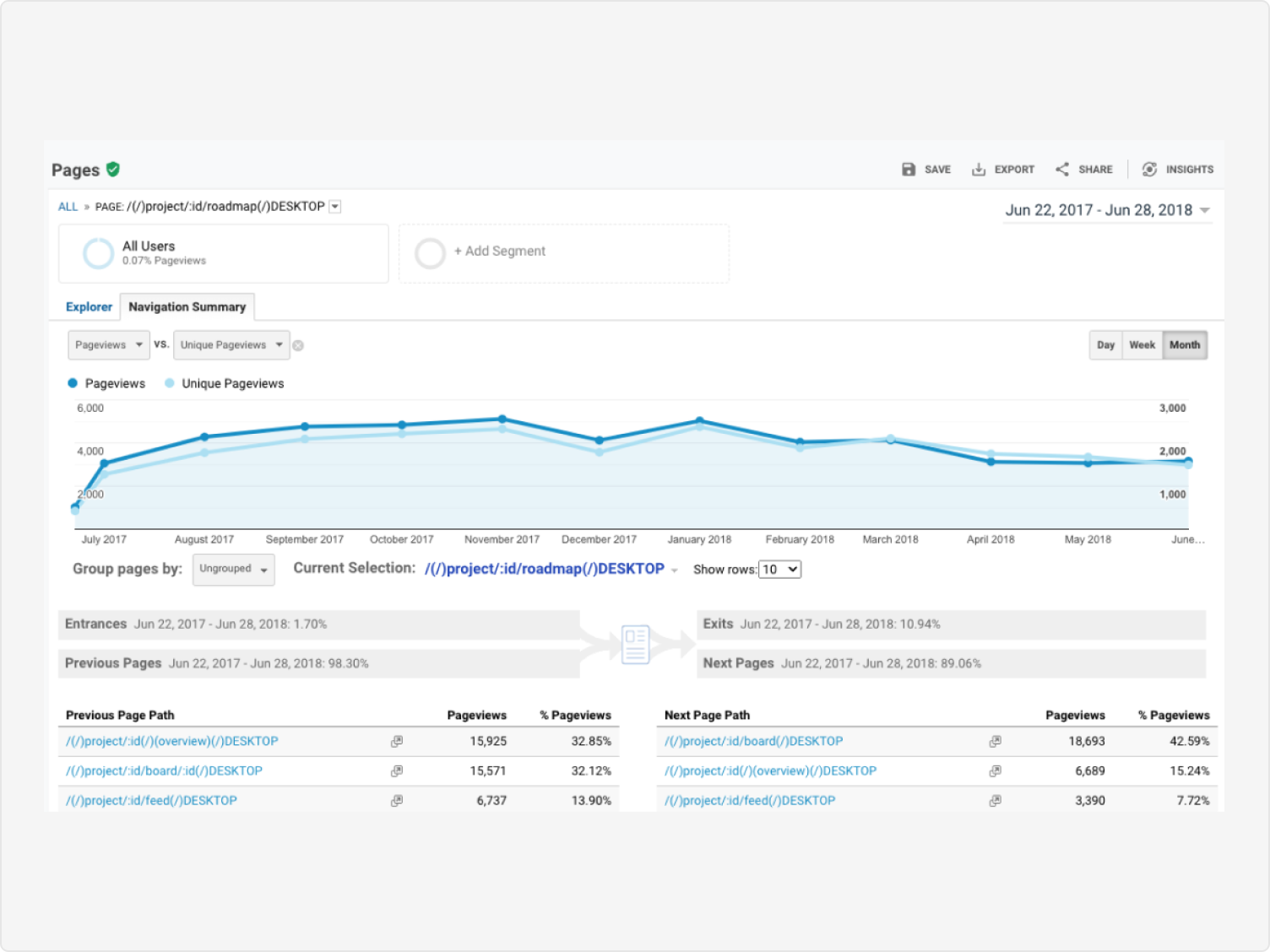
I supplemented this with Google Analytics to track navigation patterns, journey mapping to identify friction across the full planning lifecycle, and competitive analysis of Roadmunk, Aha!, ProductPlan, and Trello to benchmark features and spot gaps.
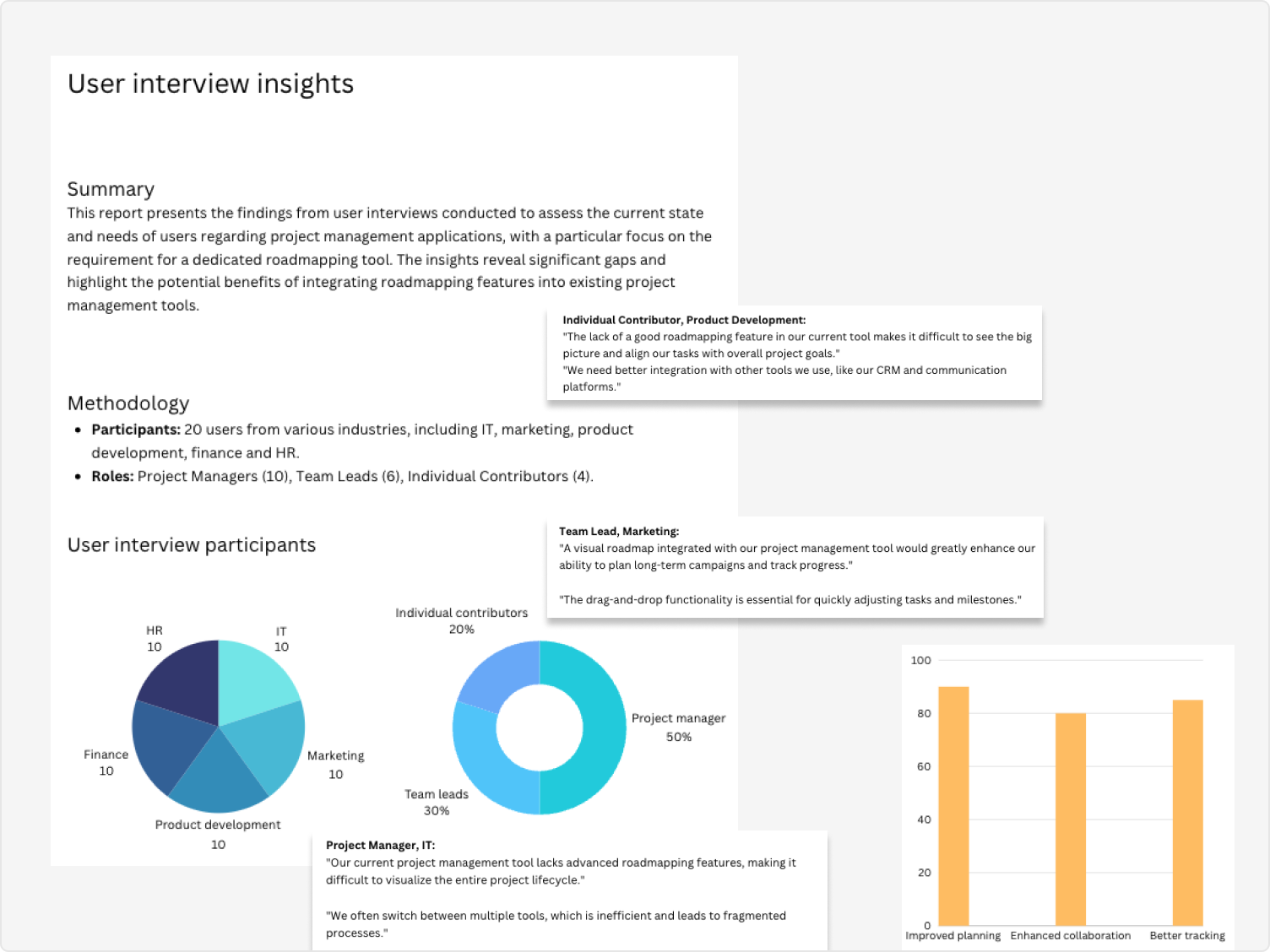
"I need to see the whole project at once — where we are, what's at risk, and what's coming next. Right now I'm piecing that together from three different tools."
— Project Manager, technology sector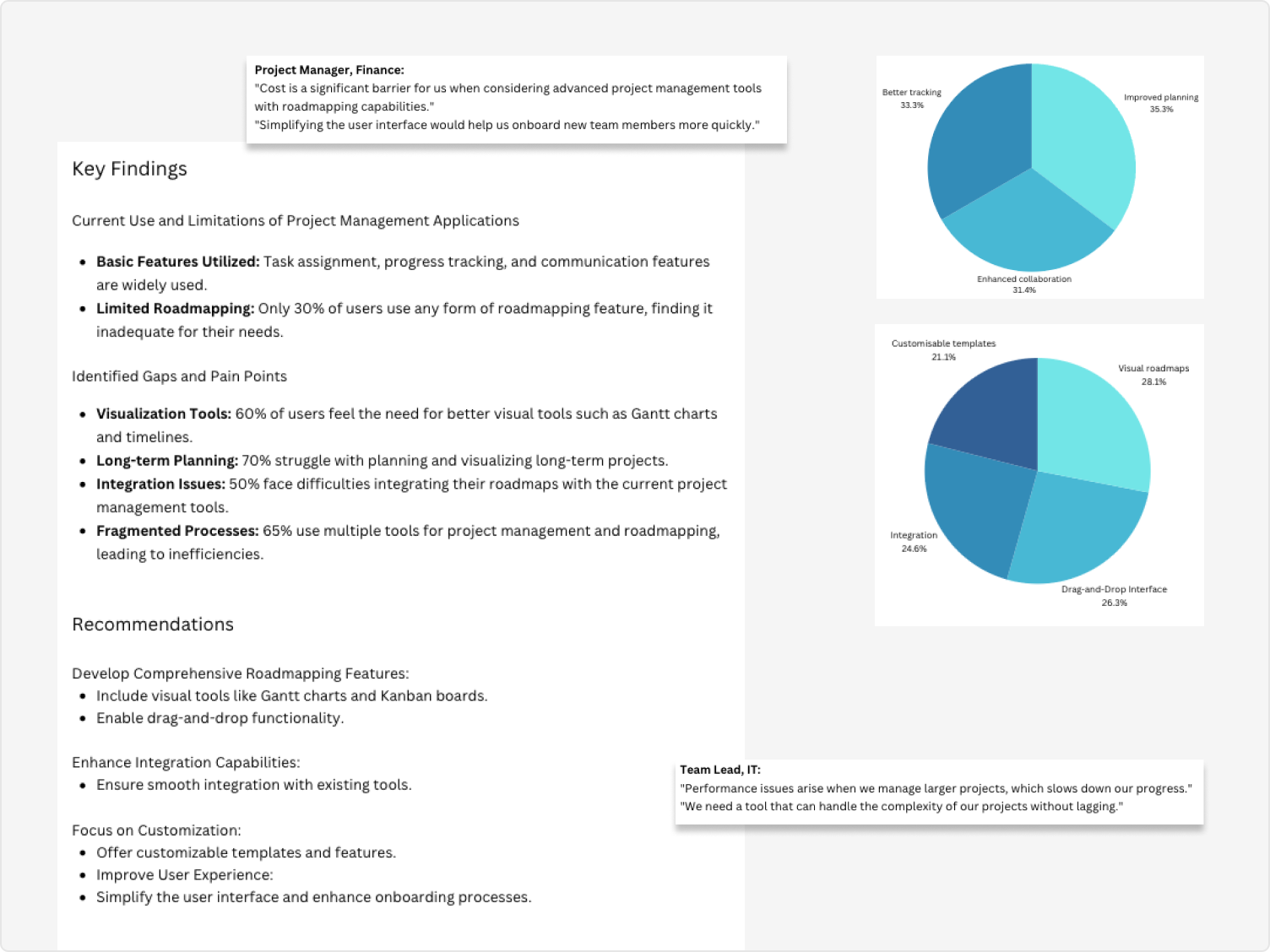
The tool was designed for project managers and team leads across technology, finance, marketing, and manufacturing — primarily in Europe and the US. These users manage complex, multi-stakeholder projects and need a way to align strategic planning with day-to-day execution, without switching between disconnected tools.
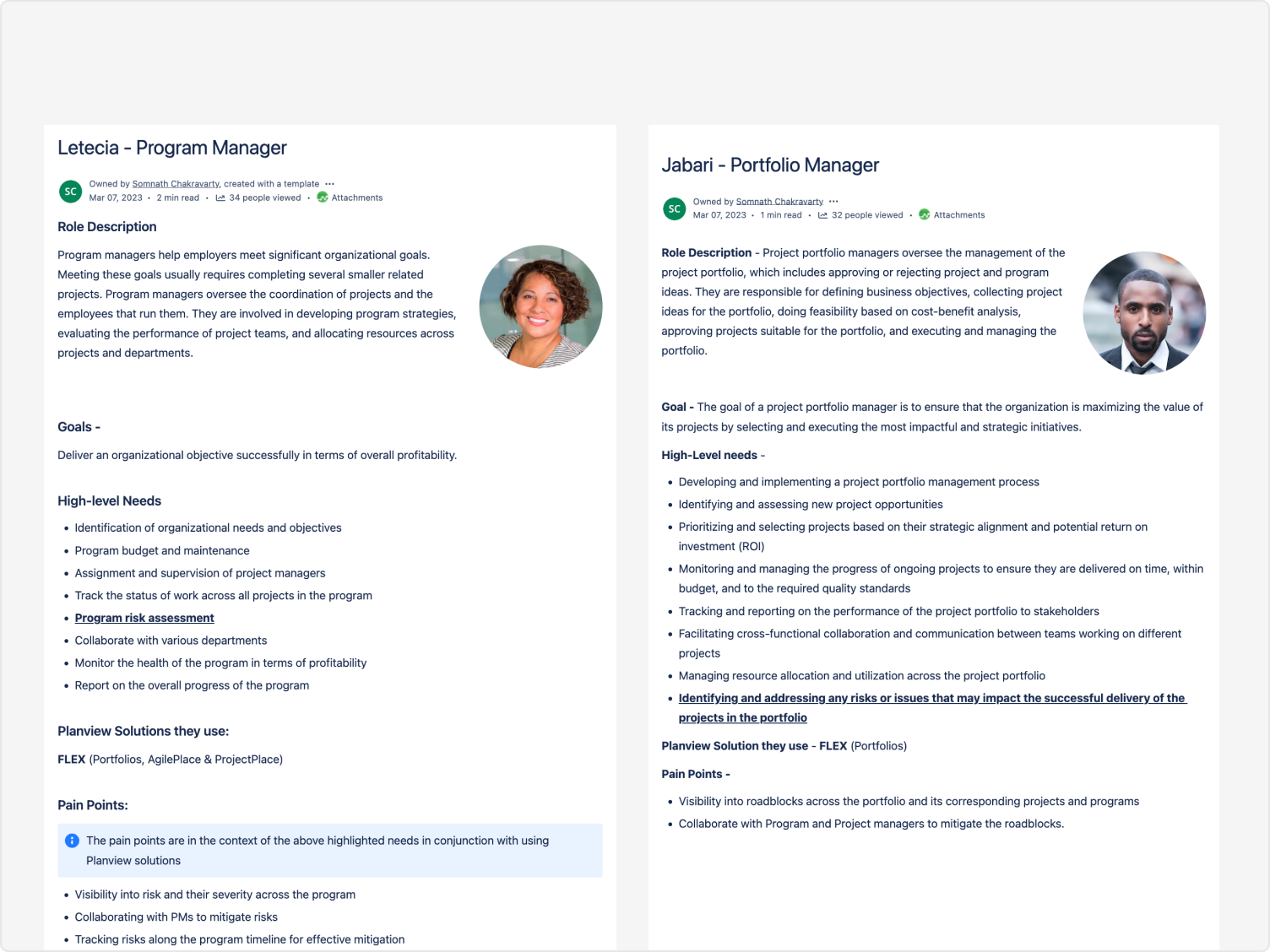
I analysed how users mentally model their planning work — the concepts, sequences, and relationships they naturally reach for — and used this to design an interface that felt immediately familiar rather than requiring relearning.
I developed low and high-fidelity prototypes and ran usability testing with 50 users, iterating on key flows including creating and updating roadmaps, managing dependencies, and collaborating across teams. Each round of testing produced concrete improvements — not just validation.
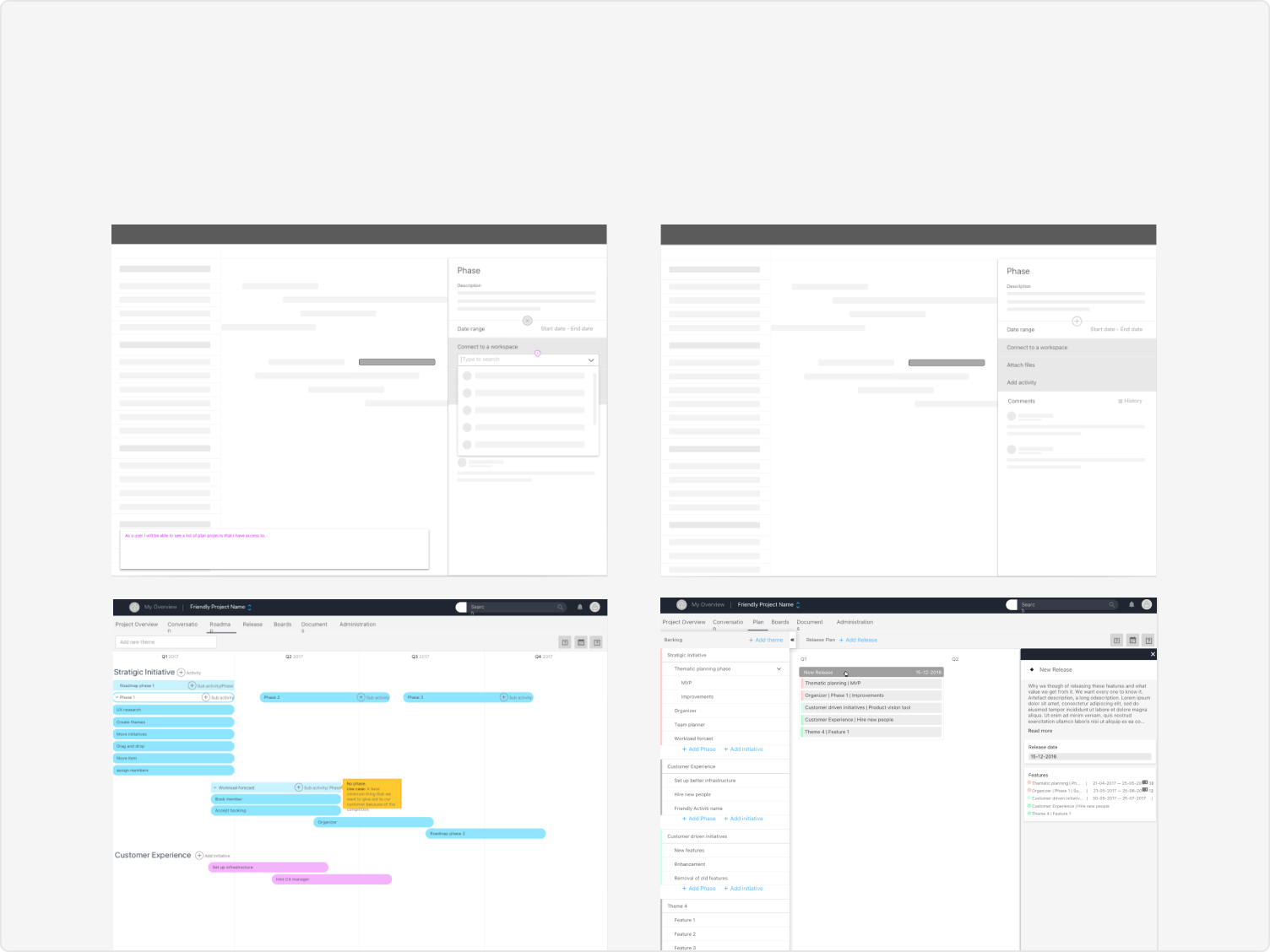
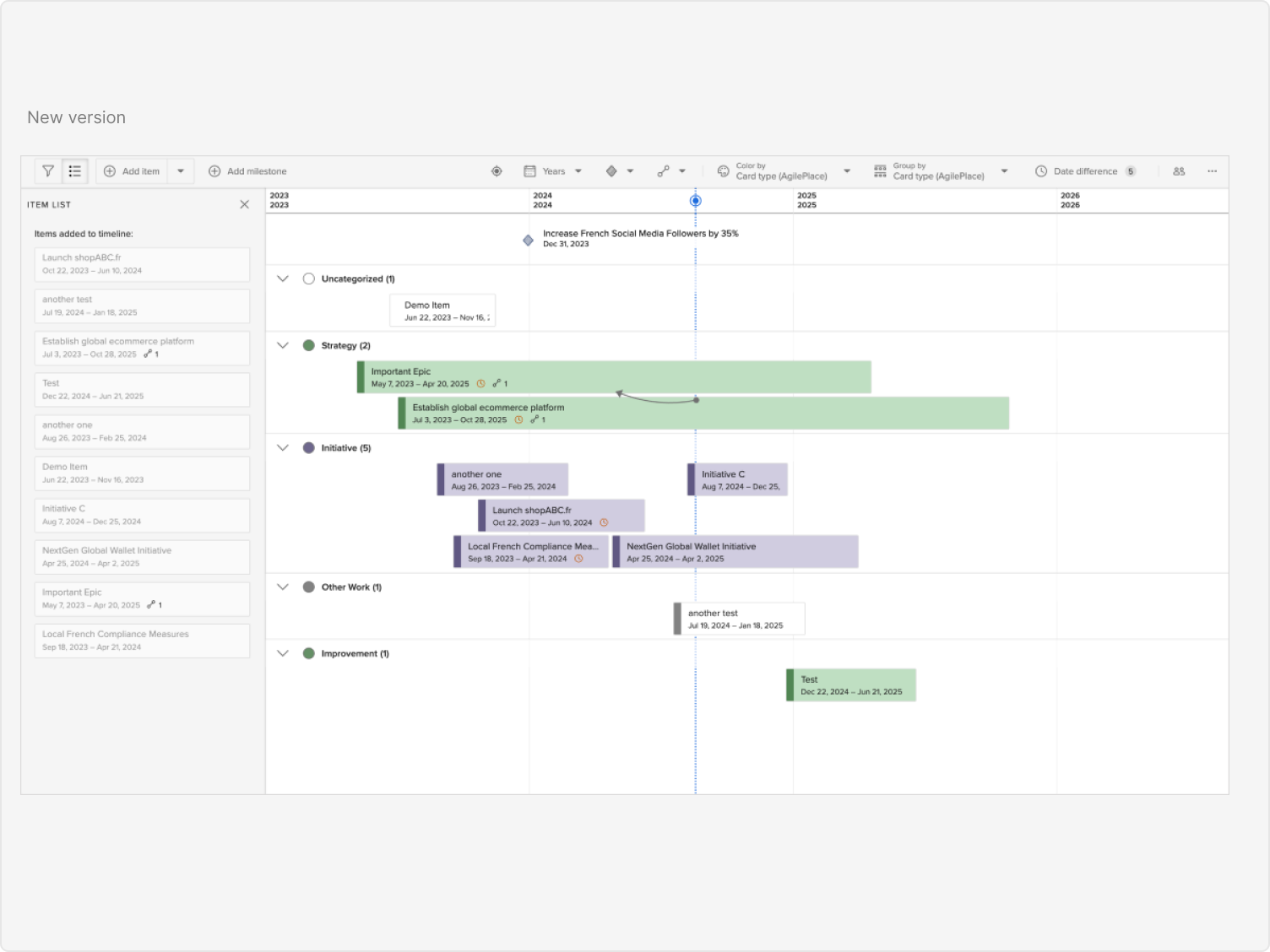
Users can visualise full project timelines, track milestones, and manage dependencies in a single view — replacing the patchwork of spreadsheets and disconnected tools teams were relying on before.
Roadmap items link directly to Kanban tasks, keeping strategic planning and day-to-day execution in sync. Changes in one surface are immediately reflected in the other.
Documents related to roadmap items are accessible in context. Workload management updates dynamically based on the roadmap, giving teams real-time visibility into capacity and resource allocation.
Granular RBAC lets administrators define permissions by role, protecting sensitive planning data while enabling the right level of collaboration across teams and stakeholders.
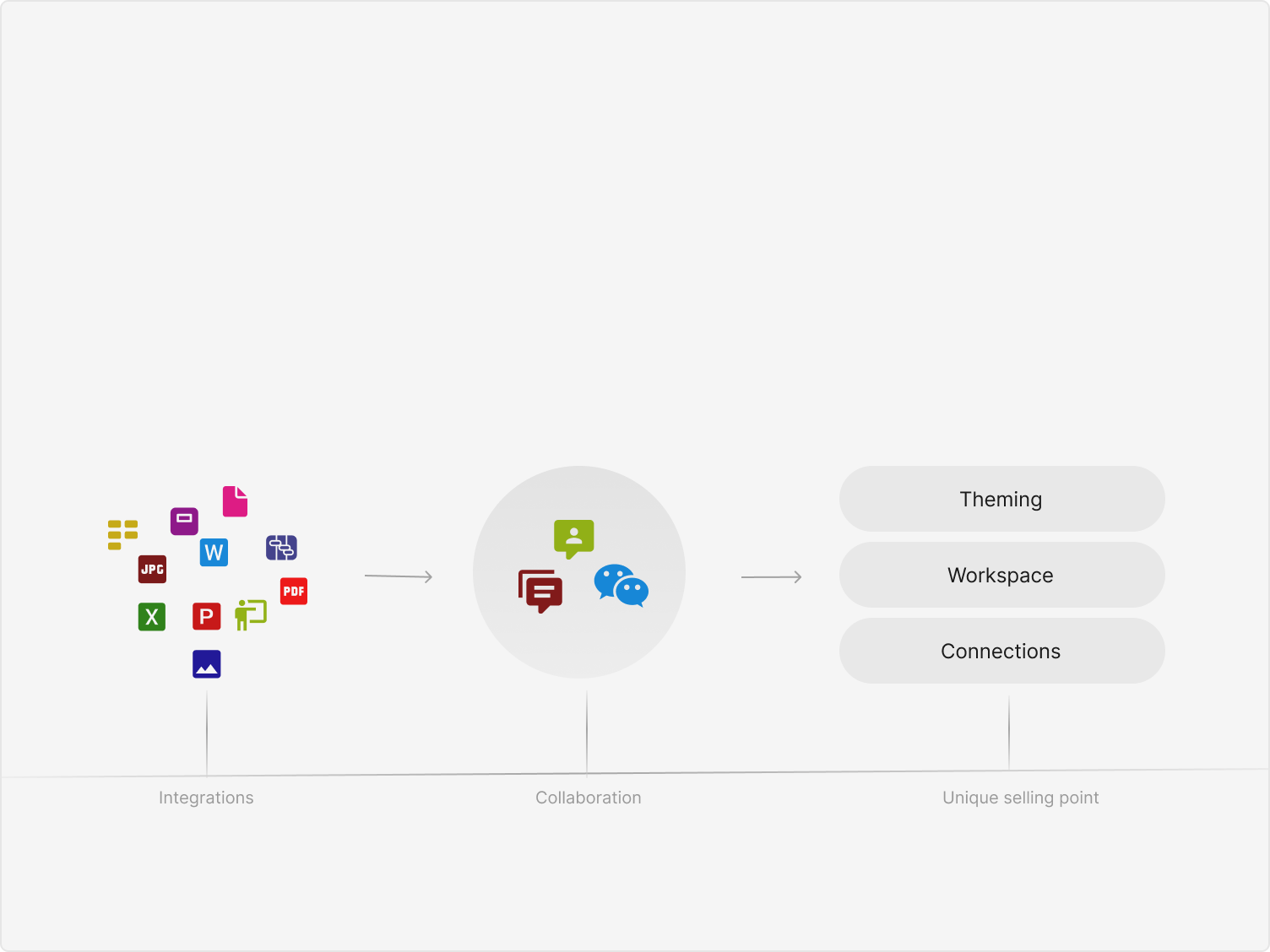
Access rights complexity. Managing permissions across diverse teams and projects without creating administrative overhead was genuinely difficult. The solution was a granular RBAC update that gave account administrators precise control over what each role could see and do — minimising unauthorised access without burdening users.
Cross-tool integration. Each ProjectPlace tool had its own data structures and interaction models. We developed comprehensive APIs and middleware solutions to standardise data exchange, ensuring that updates in the roadmap propagated consistently to the Kanban board, document manager, and workload system.
After a strong launch, engagement began to decline. Two causes stood out: insufficient marketing meant many potential users simply didn't know the tool existed, and the initial lack of integrations with external apps like Slack, Jira, and Google Drive made it hard for teams to fit the tool into existing workflows.
We responded on both fronts — collaborating with marketing on targeted campaigns, case studies, and webinars, while prioritising API development for the most-requested external integrations. Engagement recovered and continued to grow.
I led this project end-to-end — from facilitating research and running design sprints through to presenting the final design to the VP of Product, Directors, and the development team. I worked closely with PMs and engineers throughout, using stakeholder alignment sessions to manage tradeoffs and keep delivery on track.
Post-launch, I stayed involved — running a UX audit, coordinating with marketing on adoption strategy, and prioritising the integration roadmap based on user feedback. The work didn't stop at handoff.