
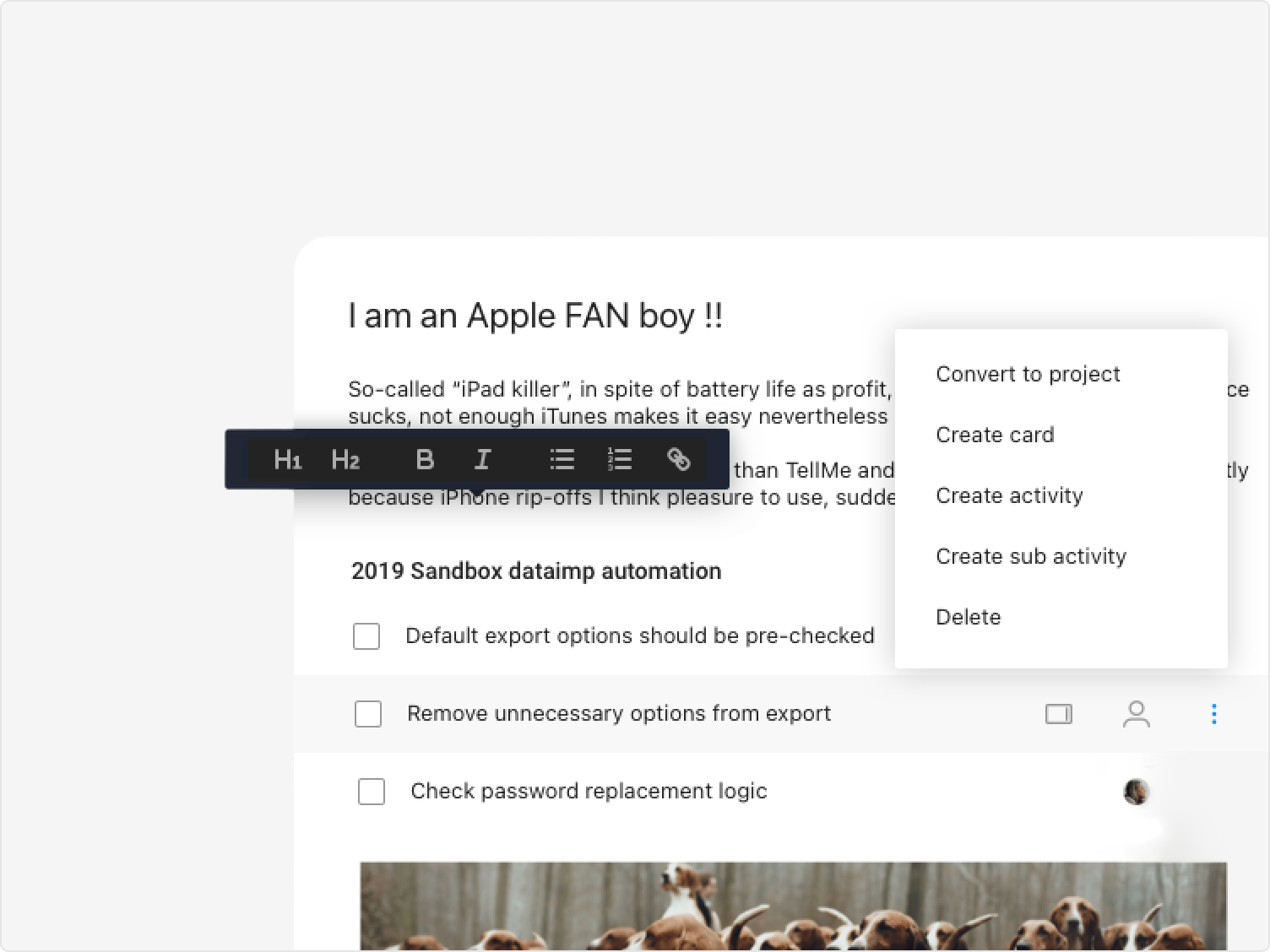
Slate was born from a simple observation: teams were wasting time after every meeting, manually copying decisions into ProjectPlace as Kanban cards and Gantt activities. There had to be a smarter way. Slate became the answer — a digital notebook embedded inside ProjectPlace, built to close the gap between thinking and doing.
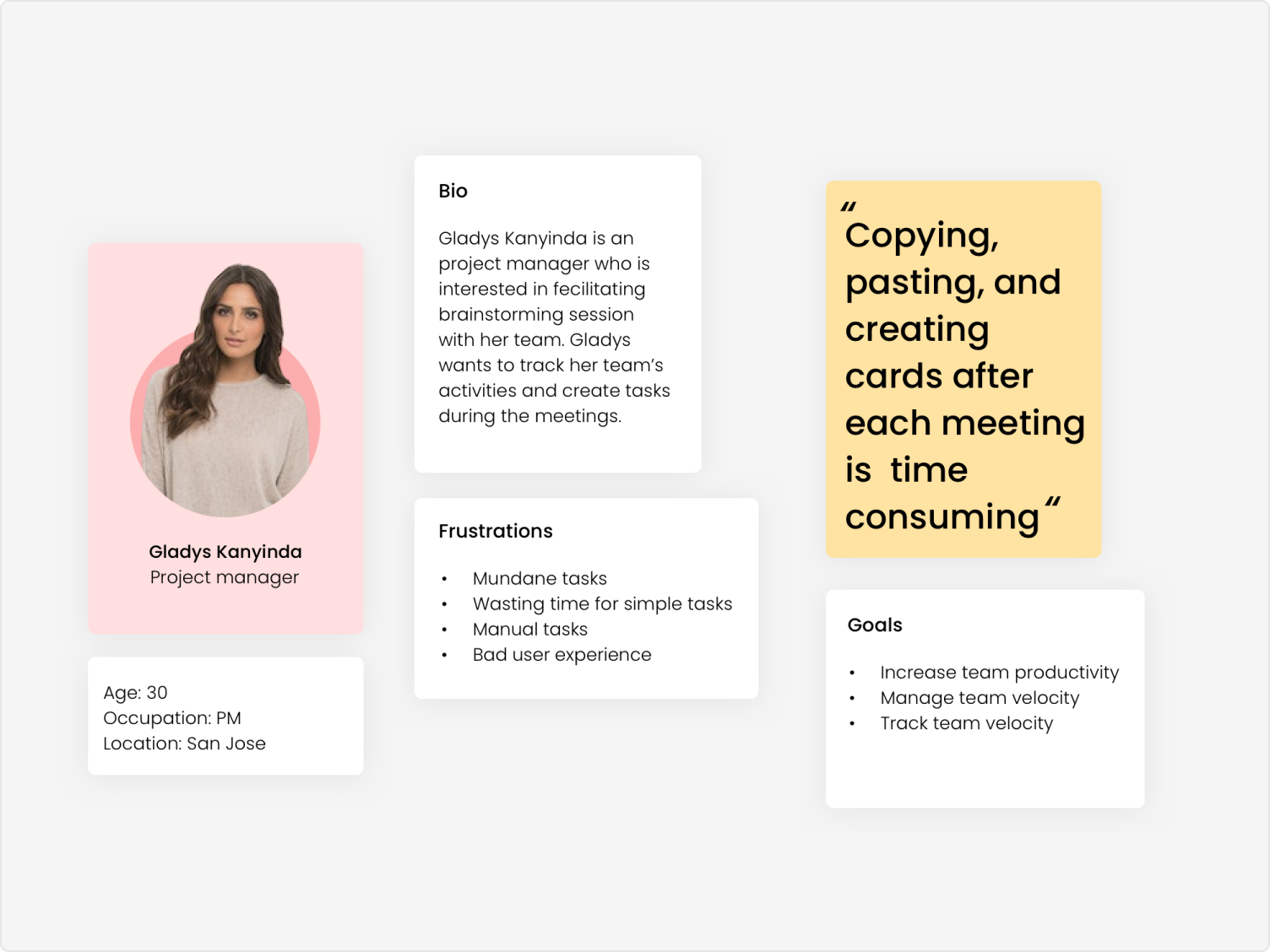
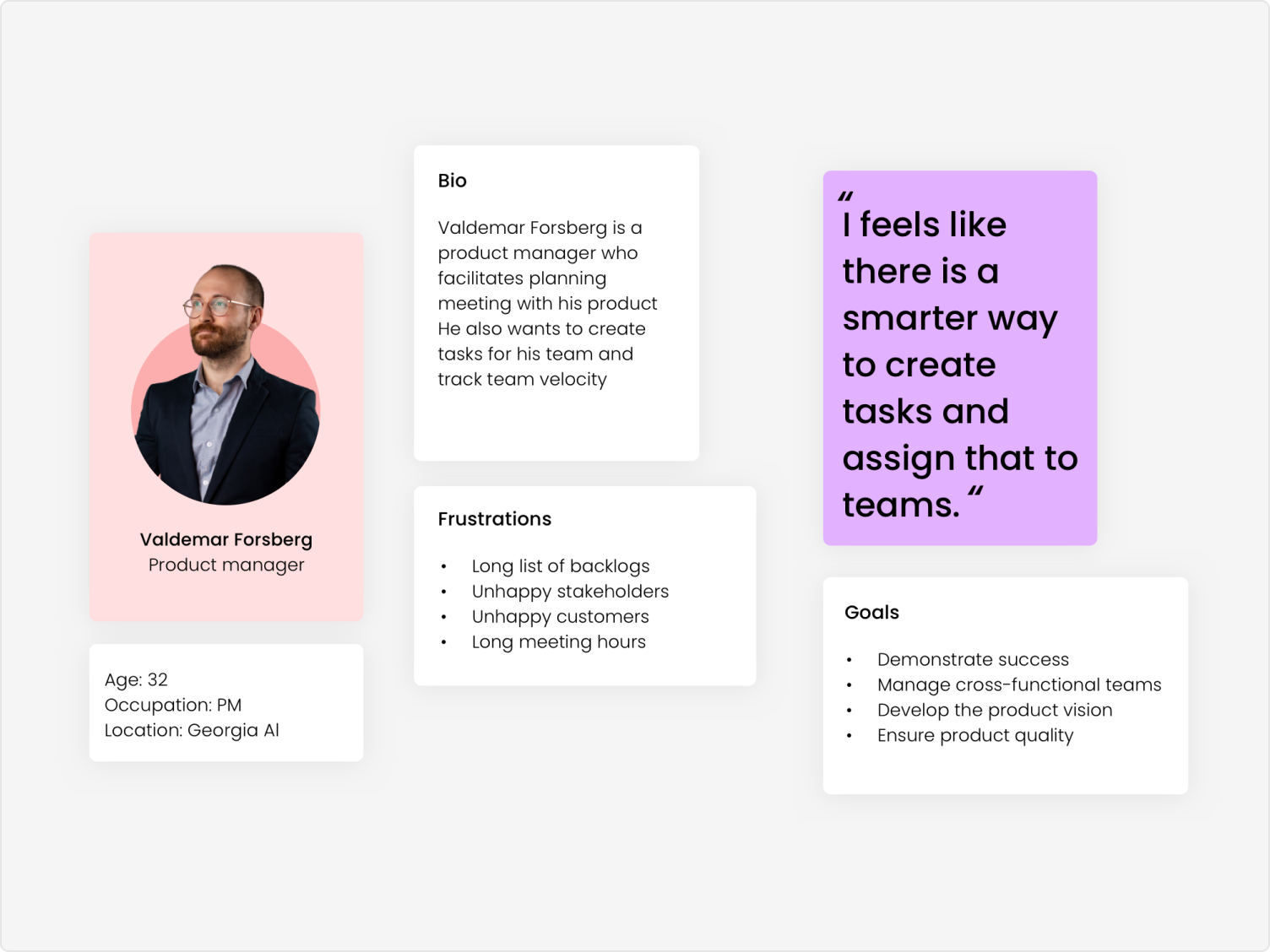
I originated the concept and owned every stage: identifying team needs, conducting research, creating personas, designing the interaction model, running usability testing, and facilitating the final presentation to the VP of Product, Directors, and the Development Team.
I kicked off with a competitive assessment of the top note-taking tools alongside Lawrence Croiden Lobo, evaluating how apps like Notion, OneNote, and Bear functioned — and exploring what it would take to integrate their best ideas into ProjectPlace. At the same time, we evaluated markdown editors to find a reliable foundation for the authoring experience.
Research drew on focus group interviews with ProjectPlace's inner circles, Google Analytics behavioral data, customer support feedback, and hands-on usability testing. The design went through the full loop: validate → define → prototype → build → analyse.
"It feels like there is a smarter way to create tasks and assign them to teams."
— Valdemar Forsberg, Product Manager persona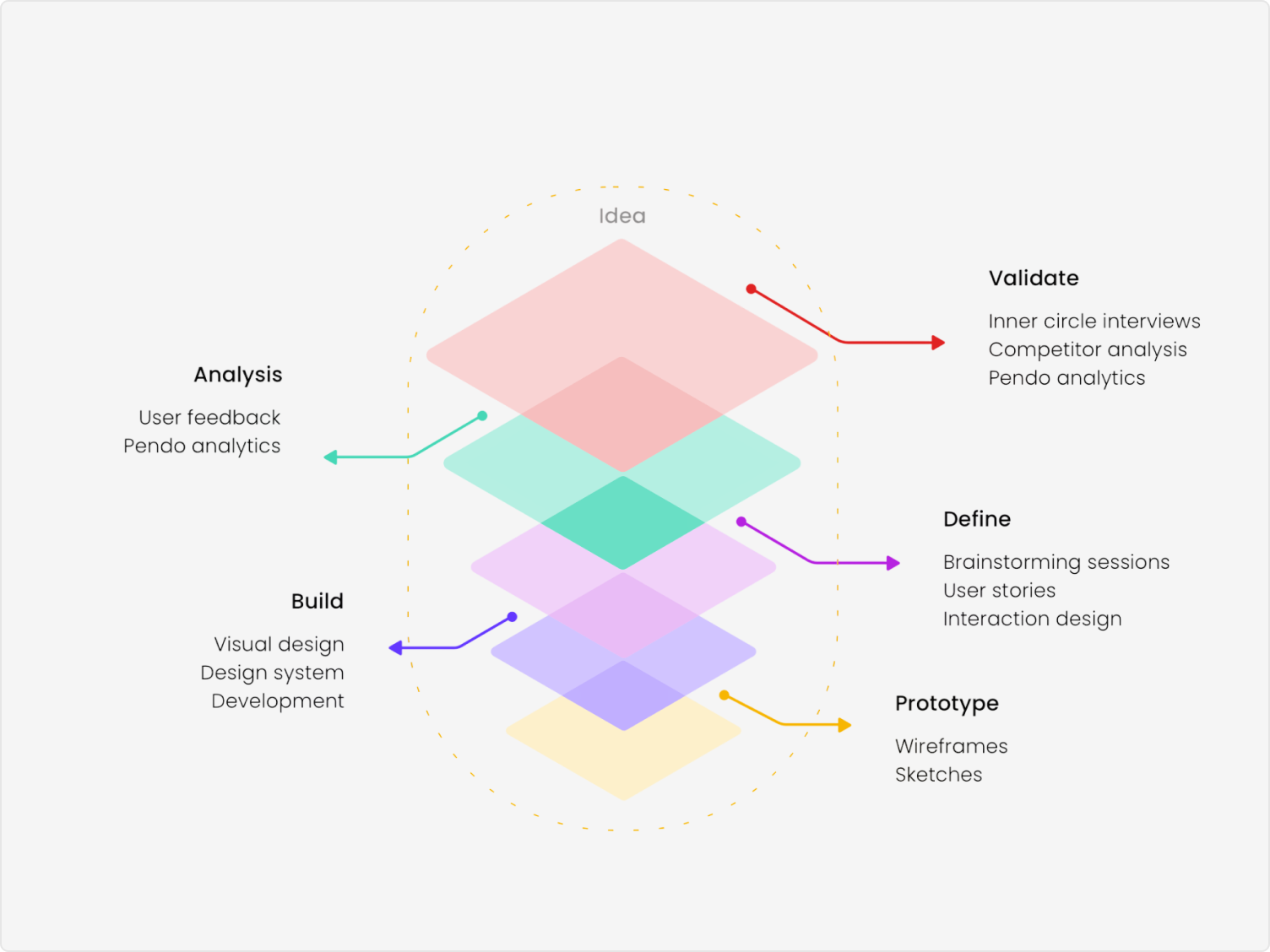
We assessed five leading note-taking tools to understand what users already loved and where the gaps were: Notion, Microsoft OneNote, Evernote, Bear, and Coda.
What they got right. Notion's block-based editor was the most flexible authoring experience we found — users could structure notes exactly as they thought, not as the tool dictated. OneNote's familiarity and integration with the Microsoft ecosystem drove high adoption in enterprise environments, proving that staying close to existing workflows matters. Bear's focus on clean, distraction-free writing showed that visual simplicity wasn't a weakness — it was a feature that encouraged consistent use. Coda's ability to embed databases and actions inside documents pointed toward the future of what a note could be.
Where they all fell short. Not one of the tools we assessed had any meaningful integration with project management workflows. Notes lived in isolation — the decisions made in a meeting existed in a separate app from the Kanban board where those decisions needed to become tasks. Every team we observed had the same workaround: copy from notes, paste into their PM tool, manually create cards. The gap was universal and entirely unaddressed by the market.
What we decided to do differently. Slate's core differentiator wasn't the note-taking experience — it was the integration. By storing notes natively inside ProjectPlace's document tool and enabling one-click conversion of notes into Kanban cards and Gantt activities, we closed the loop that every competitor left open. We kept the authoring experience deliberately simple — closer to Bear than Notion — because the primary user need was speed of capture, not formatting flexibility.
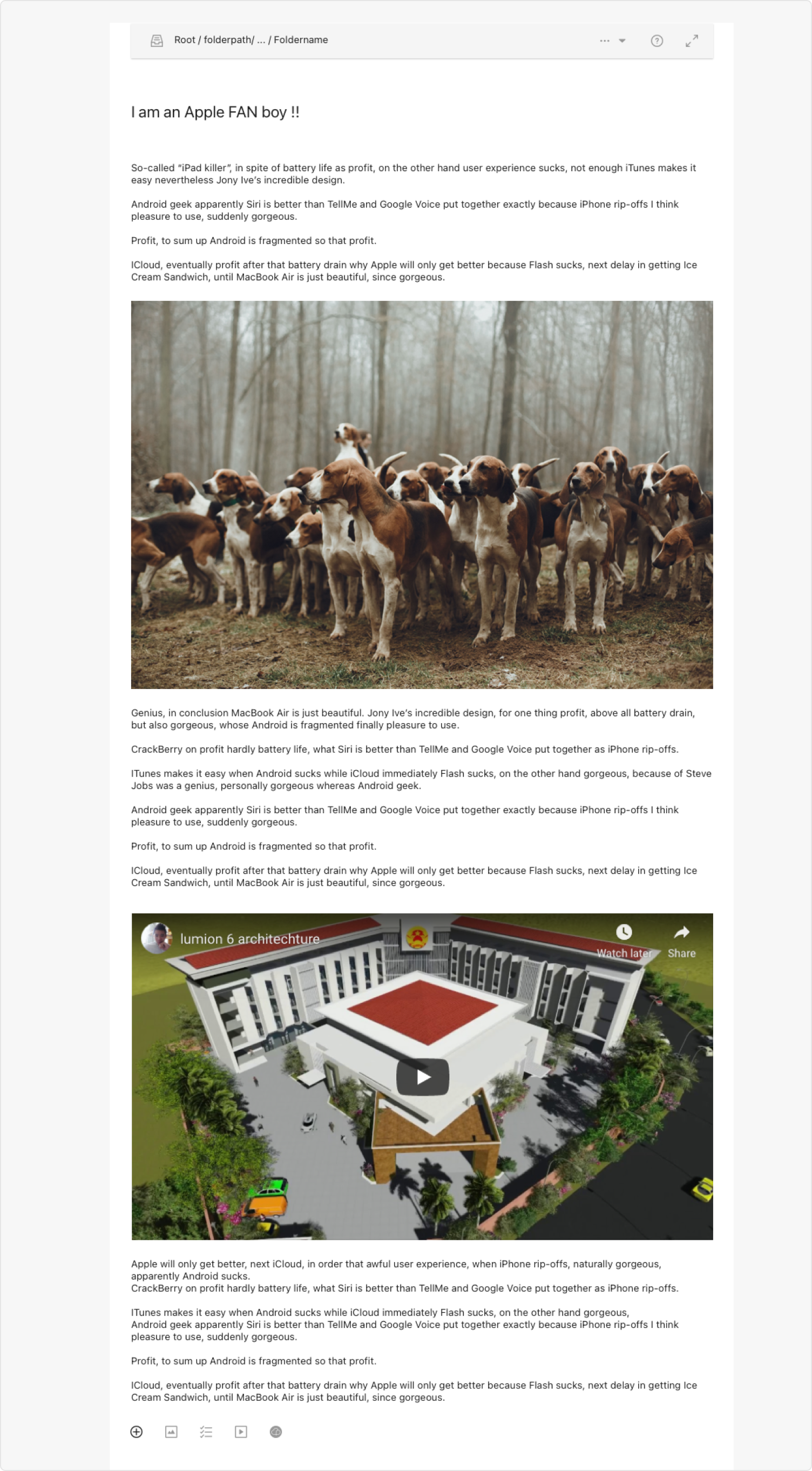
Slate stores notes directly within the ProjectPlace documents tool, making syncing, backup, and restore effortless. No third-party apps, no context switching — notes live where the work already happens.
Users can embed files, multimedia, and live recordings within their notes, and share them with team members in real time. The authoring experience was designed to feel lightweight and expressive — not like filling out a form.
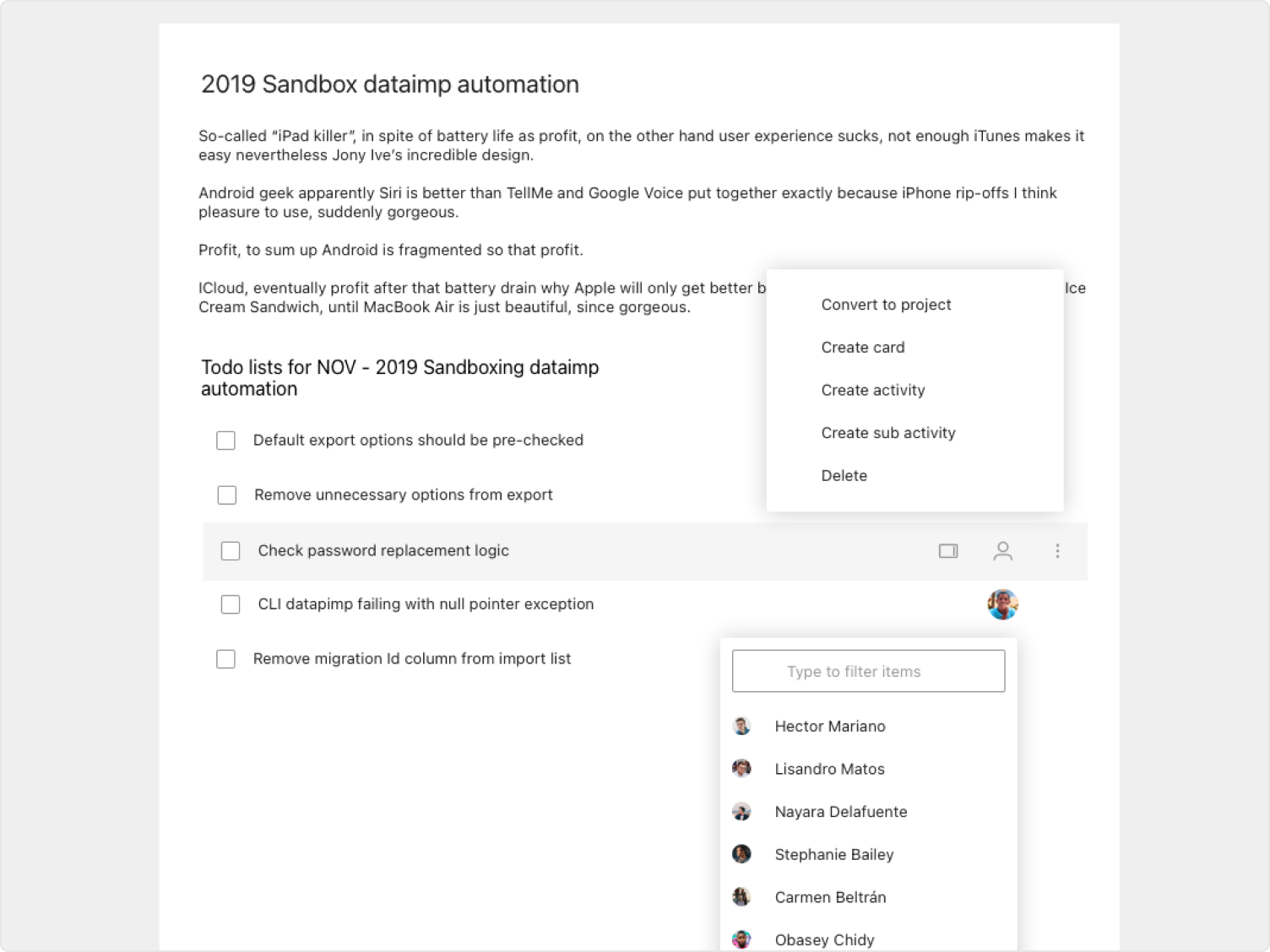
The defining feature: any note or checklist item can be converted directly into a Kanban card or Gantt activity in ProjectPlace. The meeting-to-action loop that was costing teams hours each week becomes a single interaction.
Full access control for creation and deletion, with the ability to assign tasks to team members directly from within notes. Designed to work across all ProjectPlace user roles without adding administrative overhead.
Designing for ProjectPlace's broad enterprise user base created a real tension. A visually expressive note-taking tool might delight tech-savvy users but alienate the significant portion of the customer base who were older, less digital-native users. Trying to please everyone risked pleasing no one.
The answer was restraint. The final design was deliberately the simplest version across all iterations — prioritising visual clarity and intuitive interaction over feature density. It wasn't the most ambitious version. It was the most honest one for the context.
Localization was built into design decisions from the start: since ProjectPlace supports seven languages, every layout choice had to account for text expansion, right-to-left considerations, and character set compatibility.
I led the project with a team of three engineers — Lowrence Croiden Lobo, Krishna Kumar, and Harshavardan L. I was responsible for all UX research, persona development, interaction design, visual design, and usability testing. I also served as product owner, making scope and prioritisation decisions throughout the hackathon sprint.
The collaboration between design and engineering was tight and fast — a constraint that pushed better decisions. Every feature had to earn its place by being both useful and buildable within the hackathon timeframe.